

The Week’s News in Access Technology
A Flying Blind, LLC Publication
http://www.flying-blind.com/
This Week’s Featured Advertisement
JAWS Inspect – Your Visual Resource for Accessibility Testing
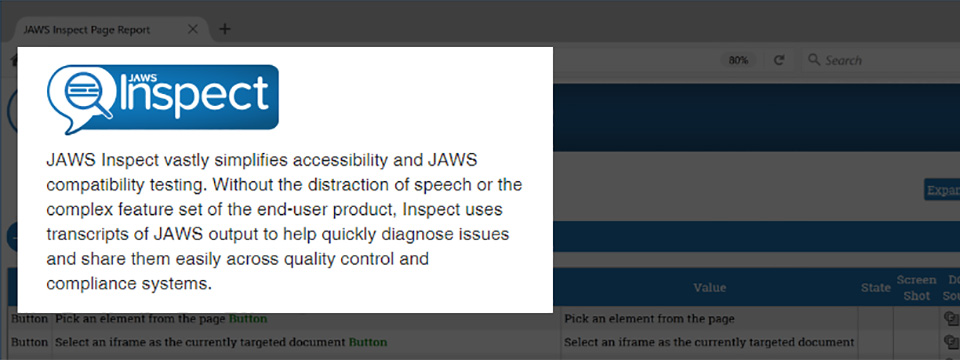
If you are employed by, or lead an Organization committed to providing manual, accessibility test services for web content using the JAWS screenreader, but your testing and developer teams have individuals who are not JAWS users, then the newly released JAWS Inspect Solution is your missing ingredient for optimizing your test processes while maximizing your accessibility efforts.
This one of a kind testing tool vastly simplifies accessibility and JAWS compatibility testing, while removing complex feature sets of the end-user.
With its newly released “say all” feature and “speech viewer”, this tool now offers visual functionality beyond the scope of web testing!
Imagine being able to view what JAWS is speaking to the end user across countless applications?
JAWS Inspect uses transcripts of JAWS output to quickly diagnose issues and share them easily across quality control and compliance systems, providing a visual representation of the user experience to the sighted developer.
Benefits include, but are not limited to:
- Simplified JAWS use for testers
- Text transcript of JAWS output for use in bug tracking and compliance programs
- Real-time identification of issues
- Rapid rollout with limited training required
- Demonstrates impact of the deployment of inaccessible content
- And assists in eliminating risks that the deployment of inaccessible content presents to your organization and its stakeholders
For more information, or to schedule a demonstration for you and your organization, please email accessibility@flying-blind.com 📧️ or call +1 (216) 381-8107 📱️ today. We’re standing by to assist you in simplifying your web accessibility test process.
http://bit.ly/2AV7lg1
Greetings,
News
1.) Computers for the Blind Discount for SSI and SSDI Recipients
The Freedom Scientific Blog tells us about a discount program where blind SSI and SSDI recipients can get desktops with JAWS and ZoomText installed through Computers for the Blind for $70. Computers for the Blind’s customer support is available in English and Spanish:
http://blog.freedomscientific.com/cftb2/
2.) Cisco Academy for the Visually Impaired May Offer Courses Again
It appears that the Cisco Academy for the Visually Impaired, (CAVI) may begin to offer courses once again. They seek opinions as to whether people would prefer their IT Essentials course or their Network Essentials course. Whichever one is offered will be free of charge:
https://www.facebook.com/ciscovision/posts/1910402349020814
3.) Envision App Now Available for Android
The Envision app is now available for Android in addition to iOS. Their announcement also discusses why they roll out app features as they do:
https://medium.com/letsenvision/introducing-envision-for-android-862613696dc3
4.) The 6 by 6 Android App from India
Of particular use to people in India is the 6 by 6 Android app which offers currency recognition (of rupees) a light detector and a magnifier:
http://www.barrierbreak.com/6by6/
5.) August 2018 AccessWorld
The August 2018 issue of AccessWorld contains reviews of the Microsoft Soundscape app and OrCam MyEye 2.0, a discussion of the new standard for Braille display connectivity, and Informed Delivery, a way to know via email what paper mail the Post Office has delivered. Also included are summaries of the US Conventions of the Blind and changes coming to AccessWorld:
http://www.afb.org/afbpress/pubnew.asp?DocID=aw1908toc
6.) This page is entitled “Social Media and Your Job Search:”
https://choosework.ssa.gov/blog/2018-05-14-social-media-and-your-job-search
7.) Assistive Technology Act Programs in Each State
The Assistive Technology Act, AKA Tech Act, provides for Assistive Technology Act Programs (ATAP) within each state to offer demonstrations of assistive technology, loaners, recycle and reuse programs, some training, and even low-cost loans for funding in some cases. To find your states ATA program, call ATAP at (217) 522-7985 📱️ or search the database on the ATAP website:
https://www.ataporg.org/programs
8.) Learn Tech Tutorials from the American Foundation for the Blind
The American Foundation for the Blind recently launched Learn Tech, an access initiative that features free online tutorials to help people who are blind or visually impaired improve computer and technology skills. The newest examples: Tutorials on Google Docs and Google Drive:
http://www.afb.org/learntech
9.) Audio Description on Amazon Video
Audio Description has arrived on Amazon Video. The feature is available on Fire TV, Fire Tablets, iOS devices, and Android devices. View titles with audio descriptions by going to:
http://www.amazon.com/video/audiodescription
10.) Tutorials on Piloting a Flight Simulator as a Blind Person
Here is the first in a series of tutorials on piloting a flight simulator as a blind person:
https://www.youtube.com/watch?time_continue=2&v=808quhs_go0
11.) APH Seeks Beta Testers for Word Puzzles
APH seeks beta testers for a new game, Word Puzzles, for solving crossword puzzles independently. Unlike some of their testing opportunities, testers need not be in an educational environment:
http://www.fredshead.info/2018/08/word-puzzles-call-out-for-beta-testers.html
12.) Using Aira in an Airport
This story from a Tampa TV station talks about the experience of using Aira in an airport:
https://www.wtsp.com/article/news/local/new-app-helps-blind-navigate-through-airport/67-581799873
13A.) An App to Find Stars and Planets
An enterprising blind software engineer and astronomy buff is developing an app to enable those with visual impairments to find the exact position of stars, planets, asteroids, and fragments, and to learn about them. A video about this is forthcoming, but in the meantime, here is an informal audio demo (MP3):
https://www.dropbox.com/s/yj184tgvzr481p8/Input%20Device%20Recording%2020180812%200638.mp3?dl=0
13B.) iOS users who want to test the app can probe here
https://www.oseyeris.com/contacts
14.) 2019 Low Vision Weekly Planner and Calendar
The 2019 edition of the unique Low Vision Weekly Planner / Calendar is now available for purchase:
https://ez2seeproducts.com/
15.) Using Skype 8.25 with JAWS and NVDA on Tek Talk
“Using Skype 8.25 with JAWS and NVDA” will be the subject of Tek Talk for GMT Tuesday, 21 August 2018 at 00:00:
http://conference321.com/masteradmin/room.asp?id=rsc9613dc89eb2
16A.) Doug Lee has JAWS scripts for YouTube
16B.) And is developing scripts for the Win10 Audible app
17.) Microsoft Extends Specialized Help Support to 24/7 for Be My Eyes Users
https://www.bemyeyes.com/whats-new/microsoft-extended-opening-hours
18.) David Woodbridge Demonstrates Aira Smart Glasses
David Woodbridge demonstrates the Aira system with the smart glasses and WiFi hotspot (MP3):
https://s124.podbean.com/pb/c242ff42867393ef0f992d12d26758e5/5b7488a0/data2/fs54/339150/uploads/Aira_demo_and_call.mp3
19.) The World in Words Podcast on Braille
In this episode of the Public Radio International podcast the World in Words offers a multifaceted discussion of Braille:
https://www.pri.org/stories/2018-08-08/will-blind-people-use-braille-future
20.) Submit a Presentation to Inclusive Design 24
Inclusive Design 24 returns on October 11, 2018! If you’ve got something to say about inclusive design, and want to be part of this event, you have until Sunday August 19, 2018 to submit a presentation:
https://inclusivedesign24.org
21.) Worksite Accessibility Specialist Vacancy in Columbus
Opportunities for Ohioans with Disabilities (OOD) has posted a vacancy announcement for a full-time Worksite Accessibility Specialist – VRPA position, headquartered in Columbus:
https://dasstateoh.taleo.net/careersection/oh_ext
22.) Free Course on Basics of Inclusive Design for Online Education
This recent course, “Basics of Inclusive Design for Online Education”, is free and available to those who teach and want to make their classwork available to those of all abilities:
https://www.coursera.org/learn/inclusive-design
23.) ADA Videos for Employers from South Dakota
The South Dakota Department of Labor and Regulation recently released three videos that employers can use to educate about the Americans with Disabilities Act (ADA). The first provides an overview of the ADA and disability etiquette and may be beneficial to use as part of new employee orientation. The second addresses pre-employment matters, such as application and interview processes, and the third focuses on considerations once someone is on the job, including accommodations and advancement; both may be beneficial for use with supervisors and hiring managers. Access the videos here:
https://dlr.sd.gov/workforce_services/businesses/disability_resources.aspx#ada_videos
24.) Why Facebook Made Accessibility a Priority
This blog post concerns why and how Facebook has made accessibility a priority:
http://www.peatworks.org/blog/2018/jul/peat-talks-recap-facebook-and-accessible-workplace
25.) A User-Friendly Run-Down of WCAG
Read a user-friendly run-down of WCAG, the Web Content Accessibility Guidelines, and what it means in this article:
https://brailleworks.com/why-i-love-wcag-and-you-should-too/
26.) WCAG is being updated
27.) This is a listing of paid and free courses on web accessibility
https://github.com/mgifford/a11y-courses/
28.) MDN offers a series of pages on creating accessible web content
https://developer.mozilla.org/en-US/docs/Web/Accessibility
29.) There is a need to test the Gutenberg Editor for WordPress
https://make.wordpress.org/accessibility/gutenberg-testing/
30.) Dusk Mini-Games for iOS
Dusk is a new iOS app featuring a collection of mini-games designed for the blind but playable by everyone. Each game uses a combination of movement sensors, vibration, sound and other technologies. More at:
https://www.applevis.com/apps/ios/games/dusk
Flying Blind, LLC Highlights
1.) JAWS Inspect – Your Visual Resource for Accessibility Testing – Flying Blind, LLC Online Store
http://bit.ly/2AV7lg1
If you are employed by, or lead an Organization committed to providing manual, accessibility test services for web content using the JAWS screenreader, but your testing and developer teams have individuals who are not JAWS users, then the newly released JAWS Inspect Solution is your missing ingredient for optimizing your test processes while maximizing your accessibility efforts …
2.) Introducing TPG Tutor – Your eLearning, One Stop Shop for Accessibility Training – Flying Blind, LLC Online Store
http://bit.ly/2JB9EnA
Have you been directed to make a website or mobile app ‘accessible’, but have no idea where to begin? Or perhaps you know a bit about accessibility and really want to immerse yourself in the field, but you can’t afford to have you or your …
3.) Introducing ARC, Your Agile and Affordable Path to Accessibility – Flying Blind, LLC Online Store
http://bit.ly/2ueyjtk
Whether you are a novice to accessibility or a seasoned pro, sometimes your best start to accessibility is to let technology do some of the heavy lifting. Designers, developers and testers dealing with an accessibility project or program are looking …
4.) Welcome to OWAC! Operating Within A Cloud! ‘OWAC: Where The Sky’s The Limit!’ – Flying Blind, LLC Online Store
OWAC Onsite = $1,000.00 USD + Pre-approved travel expenses. | OWAC Remote = $500.00 USD
http://bit.ly/OWAC-HTML
The OWAC Professional Development Workshop marries decades of assistive technology know-how with the fast-paced expectations of a predominantly sighted world. Are you serving students …
5.) ‘iOS in the Classroom: A Guide for Teaching Students with Visual Impairments, iOS 9 Edition’ Authored By Larry L. Lewis, Jr., President, Flying Blind LLC, and Published by AFB Press – AFB Online Store
Paperback: $29.95 | Online: $17.95 | ePUB: $20.95 | Kindle: $20.95
http://bit.ly/iOS9-ITC-AFB-FBLLC
This book represents a ‘must have’ for any direct service provider working with vision impaired consumers who are using iOS technology within their educational or pre-vocational settings …
6.) Silver Indoor Outdoor Talking Thermometer for $16.95 USD – Flying Blind, LLC Online Store
http://bit.ly/1HHaM7I
Indoor and outdoor temperature spoken at the touch of a button, Fahrenheit or Celsius, volume control and on/off switch. LCD visual display can show either indoor or outdoor temperature …
7.) Large Print Address Book for $16.00 USD – Flying Blind, LLC Online Store
http://bit.ly/1Q1LZxC
Spiral bound book. Holds up to 500 address listings. Three address listings per page. Includes 20/20 pen. Durable covers with inside front and back pockets. Alphabetical tabs and ample room …
8.) Large Print Check Register for $8.75 USD – Flying Blind, LLC Online Store
http://bit.ly/1TmcA6r
Spiral bound register helps keep better control of check recording. Contains spaces for 14 entries per full page. Size: 5″ x 9″ …
Flying Blind, LLC Subscription Information
SUBSCRIBE
Do you, a friend, or colleague wish to receive Flying Blind, LLC Publications? If so, please use or pass along our CAPTCHA-free sign-up link, which is: https://toptechtidbits.com/subscribe. You can also subscribe to Flying Blind, LLC Publications on the Flying Blind, LLC Website at: http://www.flying-blind.com. Either of these methods will provide you with an accessibly friendly and secure medium through which you can subscribe to our mailing list. Just enter your name and email address, click send, and begin receiving Flying Blind, LLC Publications. It’s that easy.
WEBSITE
Visit Flying Blind, LLC online at http://www.flying-blind.com.
Are you on Facebook? Stop by and “Like” Flying Blind, LLC to begin receiving Flying Blind, LLC Publications as part of your Facebook News Feed: http://www.facebook.com/flyingblindllc.
YOUTUBE
If audio / video is more your style, you can follow Flying Blind, LLC on YouTube at: http://www.youtube.com/flyingblindllc.
ONLINE STORE
Shopping for accessible technology? Check out the Flying Blind, LLC Online Store at: https://www.toptechtidbits.com/store.html. All products offered in the Flying Blind, LLC Online Store are products that Larry L. Lewis, Jr. either personally uses, or publicly endorses. Flying Blind, LLC is proud to offer free Shipping & Handling on all orders over $100.00 USD within the 48 continental United States.
QUESTIONS
Tidbits are intentionally concise. As a result we know that some readers may not always understand all of the items listed because little explanation is given. If a particular Tidbit brings up a question in your mind, feel free to ask, and we will try to answer as time and knowledge permit.
ARCHIVE
Visit the Top Tech Tidbits for Thursday Archive at: http://bit.ly/tidbitsarchive where you can grab back issues.
CONTENT CONTRIBUTORS
Any information for future issues of Top Tech Tidbits may be directed to our editor, Dean Martineau, at: editors@toptechtidbits.com.