

The Week’s News in Access Technology
A Flying Blind, LLC Publication
http://www.flying-blind.com/
This Week’s Featured Advertisement
Introducing TPG Tutor – Your eLearning, One Stop Shop for Accessibility Training
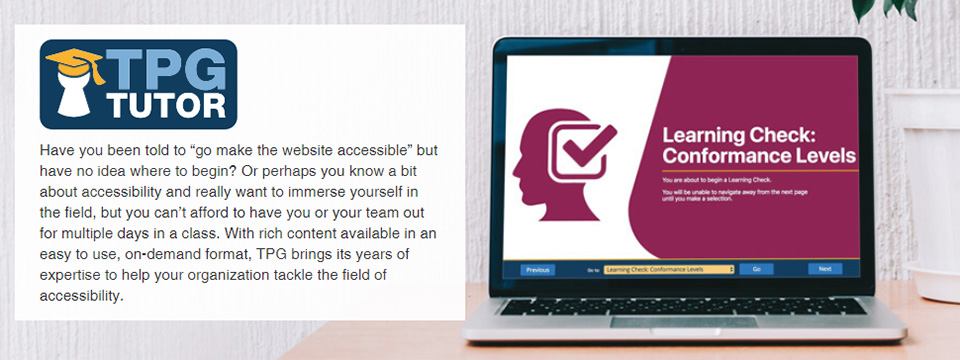
Have you been directed to make a website or mobile app ‘accessible’, but have no idea where to begin? Or perhaps you know a bit about accessibility and really want to immerse yourself in the field, but you can’t afford to have you or your team out for multiple days in an onsite class. With rich content available in an easy to use, on-demand format, TPG Tutor is here to help your organization tackle the field of accessibility in a scalable and responsive manner.
Embrace Simple, Cost-Effective Accessibility Training with TPG Tutor
Whether you’re new to accessibility or a seasoned veteran, it’s valuable to have reliable, structured training materials that you can access at your own pace. TPG Tutor is an affordable and effective means to train yourself or your staff in accessibility.
Choose from a wide array of courses that provide an introduction to accessibility all the way through to deep-dive development techniques. Purchase one course, two courses, or the entire library of courses for as many or as few users as you require. TPG Tutor is self-paced, easy to use, and available on the Arc platform, or optionally priced for use in your own LMS.
For more information, email accessibility@flying-blind.com or call +1 (216) 381-8107 📱️ today. We’re standing by to assist. Feel free to check out the YouTube video below for additional details!
Learn more about TPG Tutor from The Paciello Group on YouTube at:
https://youtu.be/GmkX9YH8zV0
Greetings,
News
1.) Webinar on Integrating Accessibility from Design to Development
Interested in learning how to embed accessibility right into the process of building an application, all the way from design through to development? Learn how during this 60-minute webinar:
https://www.paciellogroup.com/events/2018/07/webinar-july-25-integrating-accessibility-from-design-to-development/
2.) July 2018 AccessWorld
The July 2018 issue of AccessWorld contains a review of the ScratchPad feature in the latest Focus Braille displays, a discussion of progress made by SAS Accessibility for reviewing charts and graphs, a review of LVI’s MagniLink Zip Video Magnifier, an examination of Pinterest’s efforts toward accessibility to date, an elucidation of the recently announced partnership between VFO and Computers for the Blind, and a review of the book, ‘Book Review: Writing Your Way: Composing and Editing on an iPhone or iPad’, by Judy Dixon, which is available from National Braille Press and the National Library Service for the Blind:
http://www.afb.org/afbpress/pubnew.asp
3.) Interviews from the NFB and ACB Conventions
Recorded interviews from the NFB and ACB conventions are gradually appearing online. At present, nearly 20 inverviews are available on the Blind Bargains audio and podcast page:
https://blindbargains.com/audio/
4A.) Blind Abilities Coverage of ACB in St. Louis
The Blind Abilities team starts its coverage with interviews from ACB in St. Louis:
http://traffic.libsyn.com/blindabilities/ACB2018.mp3
4B.) Tek Talk on the Technology at the ACB Convention
Tek Talk on GMT Tuesday, 23 July 2018 at 00:00 will feature two attendees of the ACB Convention discussing the technology available there:
http://conference321.com/masteradmin/room.asp
5.) iA Cast Interview on What’s New with Aira
Meanwhile, the makers of iA Cast promise more interviews to come, and they start us out with an extensive interview of what’s new with Aira:
https://iaccessibility.net/iacast-special-whats-new-with-aira/
6A.) Recent Aira Developments from Jonathan Mosen
Speaking of Aira, Jonathan Mosen has updated his blog post about the service to include several recent developments:
http://mosen.org/aira
6B.) And Blind Abilities brings us an interview with an enthusiastic Aira explorer
7.) RNIB Connect Radio at Sight Village 2018
For more summer conference reporting, RNIB Connect Radio covers news from Sight and Sound Technology and begins coverage of Sight Village 2018:
https://audioboom.com/posts/6926888-technology-review-sight-village-2018-sight-and-sound-technology
8.) NVDA Technical Support Webinars
Recordings of the first two webinars about providing technical support for NVDA are available below (as MP3s), and the third installment on recognizing troubleshooting common problems will take place on Saturday, 21 July 2018 at 18:00 GMT:
https://www.josephsl.net/files/NVDATechSupportWebinar1.mp3
https://www.josephsl.net/files/NVDATechSupportWebinar2.mp3
9A.) The OpenTween Twitter client is becoming popular. Free JAWS scripts are available
9B.) As is an NVDA add-on
http://www.dlee.org/tween/opentween.nvda-addon
10.) Diblos Accessible Word Processor from Italy
From Italy comes Diblos, a free, accessible, multi-faceted word processor for creating print or Braille documents, MP3 or DAISY files. The interface is available in Croatian, Spanish, French, and Portuguese as well as English and Italian:
http://www.digrande.it/download.asp
11.) Writer Opportunities Email List
Writer Opportunities is an announcement only email list that posts grants for writers, freelance writing opportunities, residencies for writers that offer financial aid to attend, and free contests. You can join with a blank message to:
writerop+subscribe@rk.groups.io
12.) Research on How Disabled Young People Use Digital Technologies
Here is information about a qualitative research project exploring how disabled children and young people use digital technologies ‘such as computers, laptops, mobile devices and the Internet’ for learning within the context of their everyday lives:
http://blogs.lse.ac.uk/parenting4digitalfuture/2018/06/20/i-use-my-phone-like-any-other-teenager-would/
13.) Survey on Computer Use as an Adult
The survey entitled ‘Computer Use as an Adult’ carries the subtitle, ‘Understanding Adult Computer Use in Order to Train Youth in Schools:’
https://docs.google.com/forms/d/e/1FAIpQLSdBKDATe98E2afWSlDARk1Hw4X8UXFiVGHTScq0HQTXqSSo7g/viewform
14.) The Accessibility Developer Guide is now live
https://www.accessibility-developer-guide.com/
15.) Using Windows 10 in S Mode with Assistive Technology
Here’s a FAQ from Microsoft on “Using Windows 10 in S mode with Assistive Technology:”
https://support.microsoft.com/en-us/help/4032817/windows-10-in-s-mode-assistive-technology-faq
16.) Narrator Demonstration by David Woodbridge
David Woodbridge has recorded a 30-minute demonstration of the newest features in Microsoft Narrator (MP3):
https://s122.podbean.com/pb/5f08ed034697ddcc673f2c7a01628477/5b4e91c5/data2/fs54/339150/uploads/Narrator_Windows_Insider_Quick_Start_for_Narrator.mp3
17.) The iWatch Twitter app Chirp is now VoiceOver accessible (MP3)
http://traffic.libsyn.com/blindabilities/TBTSChirp.mp3
18.) Google Disability Support Chat and Email
The Google Disability Support team is now offering chat support and responding to email inquiries within 24 hours, Monday through Friday 8AM – 5PM PT:
https://support.google.com/accessibility/android/contact/disability_chat
19.) The July update for JAWS 2018 is now available. Here’s what’s new
https://www.freedomscientific.com/Downloads/jaws/JAWSWhatsNew#Enhancements
20.) WayAround Tag-and-Scan System on Eyes on Success
We learn about the WayAround Tag-and-Scan System on Eyes on Success Episode #1829:
http://eyesonsuccess.net
21.) Microsoft App Checker for Accessible Apps
And finally, the New App checker from Microsoft helps you fix errors and make accessible apps:
https://powerapps.microsoft.com/en-us/blog/new-app-checker-helps-you-fix-errors-and-make-accessible-apps/
Flying Blind, LLC Online Store Highlights
1.) JAWS Inspect – Your Visual Resource for Accessibility Testing – Flying Blind, LLC Online Store
http://bit.ly/2M9vvUZ
If you are employed by, or lead an Organization committed to providing manual, accessibility test services for web content using the JAWS screenreader, but your testing and developer teams have individuals who are not JAWS users, then the newly released JAWS Inspect Solution is your missing ingredient for optimizing your test processes while maximizing your accessibility efforts …
2.) Introducing ARC, Your Agile and Affordable Path to Accessibility – Flying Blind, LLC Online Store
http://bit.ly/2ueyjtk
Whether you are a novice to accessibility or a seasoned pro, sometimes your best start to accessibility is to let technology do some of the heavy lifting. Designers, developers and testers dealing with an accessibility project or program are looking …
3.) Welcome to OWAC! Operating Within A Cloud! ‘OWAC: Where The Sky’s The Limit!’ – Flying Blind, LLC Online Store
OWAC Onsite = $1,000.00 USD + Pre-approved travel expenses. | OWAC Remote = $500.00 USD
http://bit.ly/OWAC-HTML
The OWAC Professional Development Workshop marries decades of assistive technology know-how with the fast-paced expectations of a predominantly sighted world. Are you serving students …
4.) ‘iOS in the Classroom: A Guide for Teaching Students with Visual Impairments, iOS 9 Edition’ Authored By Larry L. Lewis, Jr., President, Flying Blind LLC, and Published by AFB Press – AFB Online Store
Paperback: $29.95 | Online: $17.95 | ePUB: $20.95 | Kindle: $20.95
http://bit.ly/iOS9-ITC-AFB-FBLLC
This book represents a ‘must have’ for any direct service provider working with vision impaired consumers who are using iOS technology within their educational or pre-vocational settings …
5.) Silver Indoor Outdoor Talking Thermometer for $16.95 USD – Flying Blind, LLC Online Store
http://bit.ly/1HHaM7I
Indoor and outdoor temperature spoken at the touch of a button, Fahrenheit or Celsius, volume control and on/off switch. LCD visual display can show either indoor or outdoor temperature …
6.) Large Print Address Book for $16.00 USD – Flying Blind, LLC Online Store
http://bit.ly/1Q1LZxC
Spiral bound book. Holds up to 500 address listings. Three address listings per page. Includes 20/20 pen. Durable covers with inside front and back pockets. Alphabetical tabs and ample room …
7.) Large Print Check Register for $8.75 USD – Flying Blind, LLC Online Store
http://bit.ly/1TmcA6r
Spiral bound register helps keep better control of check recording. Contains spaces for 14 entries per full page. Size: 5″ x 9″ …
Flying Blind, LLC Subscription Information
SUBSCRIBE
Do you, a friend, or colleague wish to receive Flying Blind, LLC Publications? If so, please use or pass along our CAPTCHA-free sign-up link, which is: https://toptechtidbits.com/subscribe. You can also subscribe to Flying Blind, LLC Publications on the Flying Blind, LLC Website at: http://www.flying-blind.com. Either of these methods will provide you with an accessibly friendly and secure medium through which you can subscribe to our mailing list. Just enter your name and email address, click send, and begin receiving Flying Blind, LLC Publications. It’s that easy.
WEBSITE
Visit Flying Blind, LLC online at http://www.flying-blind.com.
Are you on Facebook? Stop by and “Like” Flying Blind, LLC to begin receiving Flying Blind, LLC Publications as part of your Facebook News Feed: http://www.facebook.com/flyingblindllc.
YOUTUBE
If audio / video is more your style, you can follow Flying Blind, LLC on YouTube at: http://www.youtube.com/flyingblindllc.
ONLINE STORE
Shopping for accessible technology? Check out the Flying Blind, LLC Online Store at: https://www.toptechtidbits.com/store.html. All products offered in the Flying Blind, LLC Online Store are products that Larry L. Lewis, Jr. either personally uses, or publicly endorses. Flying Blind, LLC is proud to offer free Shipping & Handling on all orders over $100.00 USD within the 48 continental United States.
QUESTIONS
Tidbits are intentionally concise. As a result we know that some readers may not always understand all of the items listed because little explanation is given. If a particular Tidbit brings up a question in your mind, feel free to ask, and we will try to answer as time and knowledge permit.
ARCHIVE
Visit the Top Tech Tidbits for Thursday Archive at: http://bit.ly/tidbitsarchive where you can grab back issues.
CONTENT CONTRIBUTORS
Any information for future issues of Top Tech Tidbits may be directed to our editor, Dean Martineau, at: editors@toptechtidbits.com.