

The Week’s News in Access Technology
A Flying Blind, LLC Publication
http://www.flying-blind.com/
This Week’s Featured Advertisement
Introducing TPG Tutor – Your eLearning, One Stop Shop for Accessibility Training
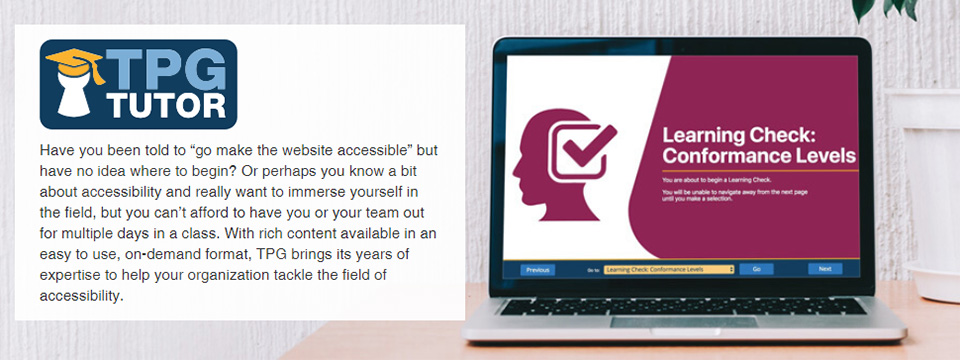
Have you been directed to make a website or mobile app ‘accessible’, but have no idea where to begin? Or perhaps you know a bit about accessibility and really want to immerse yourself in the field, but you can’t afford to have you or your team out for multiple days in an onsite class. With rich content available in an easy to use, on-demand format, TPG Tutor is here to help your organization tackle the field of accessibility in a scalable and responsive manner.
Embrace Simple, Cost-Effective Accessibility Training with TPG Tutor
Whether you’re new to accessibility or a seasoned veteran, it’s valuable to have reliable, structured training materials that you can access at your own pace. TPG Tutor is an affordable and effective means to train yourself or your staff in accessibility.
Choose from a wide array of courses that provide an introduction to accessibility all the way through to deep-dive development techniques. Purchase one course, two courses, or the entire library of courses for as many or as few users as you require. TPG Tutor is self-paced, easy to use, and available on the Arc platform, or optionally priced for use in your own LMS.
For more information, email accessibility@flying-blind.com or call +1 (216) 381-8107 📱️ today. We’re standing by to assist. Feel free to check out the YouTube video below for additional details!
Learn more about TPG Tutor from The Paciello Group on YouTube at:
https://youtu.be/GmkX9YH8zV0
Greetings,
News
1.) Corrected Link for the Narrator Demonstration by David Woodbridge
We open with a link correction for Tidbit #16 from last week’s issue Volume 667 in which we announced that David Woodbridge has recorded a 30-minute demonstration of the newest features in Microsoft Narrator (MP3). Here is the corrected link:
https://davidwoodbr.podbean.com/e/demo-of-the-windows-insider-build-for-the-new-narrator-quick-start-guide-july-15-2018/
2.) This post gives some basic information about three automated accessibility checking tools
3A.) Creative Ways Aira Explorers Use the Service
Aira seems to be a frequent topic for discussion and news these days. This page details some of the creative ways in which Aira ‘Explorers’ make use of the service:
https://aira.freshdesk.com/support/solutions/folders/19000159531
3B.) New Aira Initiatives on the Blind Side Podcast
Among other topics, the Blind Side Podcast #96 discusses some new Aira initiatives [MP3]:
http://traffic.libsyn.com/theblindside/TheBlindSide96.mp3
4.) Accessibility in Three Middle Eastern Countries
This lady traveled to three Middle Eastern countries to assess their level of accessibility:
https://students.wlu.ca/academics/global-engagement-and-exchanges/news/2018/summer/seeking-accessibility-in-the-middle-east.html
5.) Using Mobile Apps for Disability Rights Advocacy
Looking for resources on how to make mobile apps accessible? Interested in developing your own app for disability rights advocacy? Read the full article and related resources on the RightsNow! Website:
https://www.globaldisabilityrightsnow.org/tools/vietnam/using-mobile-applications-advocacy
6.) TED Talks on Designing for Disability
Good design and smart technology should fuel inclusivity. These TED Talks show how tech and design can empower:
https://www.ted.com/playlists/372/designing_for_disability
7.) Barry Scheur of Guidelines and Gadgets on Tek Talk
Barry Scheur will discuss the offerings of his company, Guidelines and Gadgets, on Tek Talk on GMT Tuesday, 31 July 2018 at 00:00:
http://conference321.com/masteradmin/room.asp?id=rsc9613dc89eb2
8.) Webinar on Hiring and Retaining Employees with Disabilities
This webinar, ‘Hiring & Retaining Employees with Disabilities,’ will take place Friday, 27 July 2018 at 17:00 GMT:
https://zoom.us/webinar/register/3515324321695/WN_nS8JGW4LQfG54zHxi5_Z1g
9.) Tech4Good Awards Winners and the Be My Eyes App
This post lists the winners of the Tech4Good Awards for this year, among them, the Be My Eyes app:
http://www.headstar.com/eablive/?p=1662
10.) Microsoft Seeing AI 2.3 for iOS
The Microsoft Seeing AI app for iOS is up to version 2.3, now with the ability to browse and describe pictures on the phone, and now available in 18 more countries:
https://itunes.apple.com/us/app/seeing-ai-talking-camera-for-the-blind/id999062298
11.) JAWS Scripts for YouTube
Here are some JAWS scripts for YouTube, which make the use of YouTube easier and also eliminate conflicts between native YouTube keystrokes and JAWS:
http://www.dlee.org/youtube/
12.) Microsoft Retiring Skype 7.4: Information for JAWS Users
Microsoft is retiring Skype 7.4. This Freedom Scientific blog post contains important information for JAWS users:
http://blog.freedomscientific.com/skype8/
13.) WxPython for NVDA and the Move to Python 3.7
WxPython will be the development environment for NVDA moving forward, as the move to Python 3.7 continues. Those interested in such things can read about them here:
https://nvda.groups.io/g/nvda/topic/important_milestone_reached/23643882?p=,,,20,0,0,0::recentpostdate%2Fsticky,,,20,2,0,23643882
14A.) David Woodbridge has posted demonstrations of the OrCam II
https://davidwoodbr.podbean.com/e/demo-of-the-orcam-ii/
14B.) And of the FlickType typing system for iOS
15.) Video of an App When Accessibility Is Not Built In
This video shows how frustrating and ultimately impossible it can be to use an app when accessibility is not built in:
https://www.youtube.com/watch?v=F6xcCU6KfjA&feature=youtu.be&a`r
16A.) You can read about recent updates to ZoomText and Fusion here
https://www.zoomtext.com/help/product-downloads/
16B.) Software Releases on FSCast 155
And listen to information about software releases and other discussion in FSCast #155:
http://traffic.libsyn.com/fscast/FSCast155_-_Isaac_Lidsky.mp3?dest-id=699950
17.) Podcast on the EnVision App for iOS
This podcast reveals the origins, present and future of the EnVision app for iOS:
https://www.youtube.com/watch?v=M-acQ5UxVv8&feature=youtu.be
18.) Mystic Access Class on Downloading Files
‘Downloading Files: From Distressed to Delighted’ is the title of this Mystic Access free class for July 2018, and it is the first in a two-part series on file management. This event takes place on Thursday, 26 July 2018 at 00:00 GMT, though recordings will be made available:
https://zoom.us/j/598746709?pwd=&status=success
19.) HumanWare Is the Distributor for Index Braille Embossers
HumanWare is now the exclusive distributor and service provider for the Index line of Braille embossers:
http://www.humanware.com/en-usa/home
20.) Microsoft Narrator User Guide in Word or PDF
The Microsoft Narrator User Guide is now available in a stand-alone Microsoft Word or PDF document:
https://support.microsoft.com/en-us/help/22798/windows-10-narrator-get-started
21.) Online Word to MarkDown Converter
Some people find MarkDown a handy format for composing in plain text and transferring Word and other documents across platforms. This is an online Word to MarkDown converter:
https://word-to-markdown.herokuapp.com/
22.) Medium iOS App Accessibility Enhancements
The Medium iOS app, which supports independent writers and allows others to read their work in text or audio, has undergone accessibility enhancements. Images have alt-text, the duration of the piece is announced and more, with more changes promised:
https://itunes.apple.com/us/app/medium/id828256236?mt=8
23.) The Helen Keller Archive on Eyes on Success
We recently mentioned the Helen Keller archive, and you can learn more about it in Eyes on Success #1830:
http://eyesonsuccess.net
Flying Blind, LLC Highlights
1.) JAWS Inspect – Your Visual Resource for Accessibility Testing – Flying Blind, LLC Online Store
http://bit.ly/2M9vvUZ
If you are employed by, or lead an Organization committed to providing manual, accessibility test services for web content using the JAWS screenreader, but your testing and developer teams have individuals who are not JAWS users, then the newly released JAWS Inspect Solution is your missing ingredient for optimizing your test processes while maximizing your accessibility efforts …
2.) Introducing ARC, Your Agile and Affordable Path to Accessibility – Flying Blind, LLC Online Store
http://bit.ly/2ueyjtk
Whether you are a novice to accessibility or a seasoned pro, sometimes your best start to accessibility is to let technology do some of the heavy lifting. Designers, developers and testers dealing with an accessibility project or program are looking …
3.) Welcome to OWAC! Operating Within A Cloud! ‘OWAC: Where The Sky’s The Limit!’ – Flying Blind, LLC Online Store
OWAC Onsite = $1,000.00 USD + Pre-approved travel expenses. | OWAC Remote = $500.00 USD
http://bit.ly/OWAC-HTML
The OWAC Professional Development Workshop marries decades of assistive technology know-how with the fast-paced expectations of a predominantly sighted world. Are you serving students …
4.) ‘iOS in the Classroom: A Guide for Teaching Students with Visual Impairments, iOS 9 Edition’ Authored By Larry L. Lewis, Jr., President, Flying Blind LLC, and Published by AFB Press – AFB Online Store
Paperback: $29.95 | Online: $17.95 | ePUB: $20.95 | Kindle: $20.95
http://bit.ly/iOS9-ITC-AFB-FBLLC
This book represents a ‘must have’ for any direct service provider working with vision impaired consumers who are using iOS technology within their educational or pre-vocational settings …
5.) Silver Indoor Outdoor Talking Thermometer for $16.95 USD – Flying Blind, LLC Online Store
http://bit.ly/1HHaM7I
Indoor and outdoor temperature spoken at the touch of a button, Fahrenheit or Celsius, volume control and on/off switch. LCD visual display can show either indoor or outdoor temperature …
6.) Large Print Address Book for $16.00 USD – Flying Blind, LLC Online Store
http://bit.ly/1Q1LZxC
Spiral bound book. Holds up to 500 address listings. Three address listings per page. Includes 20/20 pen. Durable covers with inside front and back pockets. Alphabetical tabs and ample room …
7.) Large Print Check Register for $8.75 USD – Flying Blind, LLC Online Store
http://bit.ly/1TmcA6r
Spiral bound register helps keep better control of check recording. Contains spaces for 14 entries per full page. Size: 5″ x 9″ …
Flying Blind, LLC Subscription Information
SUBSCRIBE
Do you, a friend, or colleague wish to receive Flying Blind, LLC Publications? If so, please use or pass along our CAPTCHA-free sign-up link, which is: https://toptechtidbits.com/subscribe. You can also subscribe to Flying Blind, LLC Publications on the Flying Blind, LLC Website at: http://www.flying-blind.com. Either of these methods will provide you with an accessibly friendly and secure medium through which you can subscribe to our mailing list. Just enter your name and email address, click send, and begin receiving Flying Blind, LLC Publications. It’s that easy.
WEBSITE
Visit Flying Blind, LLC online at http://www.flying-blind.com.
Are you on Facebook? Stop by and “Like” Flying Blind, LLC to begin receiving Flying Blind, LLC Publications as part of your Facebook News Feed: http://www.facebook.com/flyingblindllc.
YOUTUBE
If audio / video is more your style, you can follow Flying Blind, LLC on YouTube at: http://www.youtube.com/flyingblindllc.
ONLINE STORE
Shopping for accessible technology? Check out the Flying Blind, LLC Online Store at: https://www.toptechtidbits.com/store.html. All products offered in the Flying Blind, LLC Online Store are products that Larry L. Lewis, Jr. either personally uses, or publicly endorses. Flying Blind, LLC is proud to offer free Shipping & Handling on all orders over $100.00 USD within the 48 continental United States.
QUESTIONS
Tidbits are intentionally concise. As a result we know that some readers may not always understand all of the items listed because little explanation is given. If a particular Tidbit brings up a question in your mind, feel free to ask, and we will try to answer as time and knowledge permit.
ARCHIVE
Visit the Top Tech Tidbits for Thursday Archive at: http://bit.ly/tidbitsarchive where you can grab back issues.
CONTENT CONTRIBUTORS
Any information for future issues of Top Tech Tidbits may be directed to our editor, Dean Martineau, at: editors@toptechtidbits.com.